

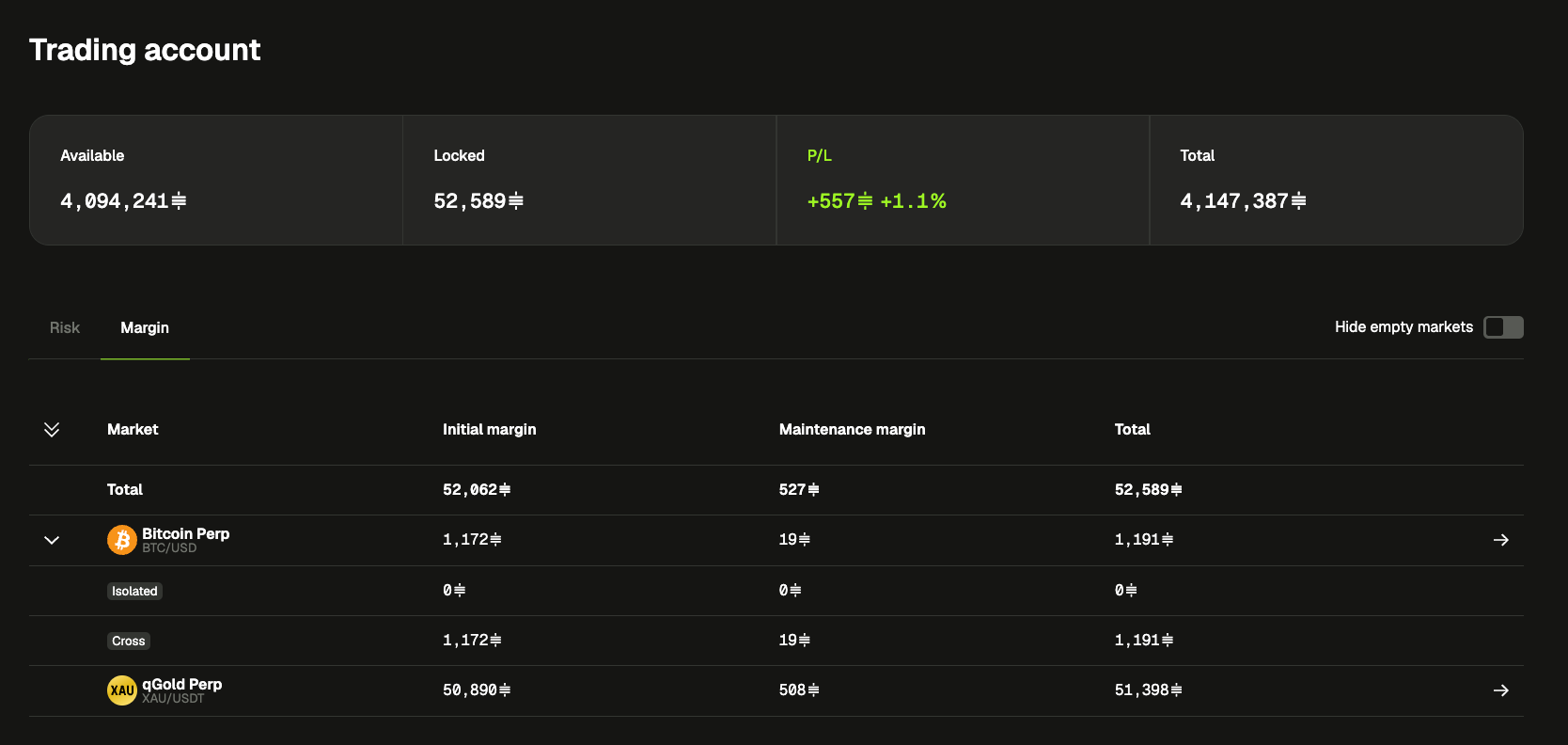
🥇 qGold Perp is in beta
We opened qGold to the first traders from the waitlist this week. You’ve already sent us a lot of feedback, some of it very sharp, and a few of the changes below come straight from it. Keep it coming: the more you trade it and tell us what feels off, the faster we can open it to everyone.
Not in yet? You can still join the waitlist from the market picker.
✨ New
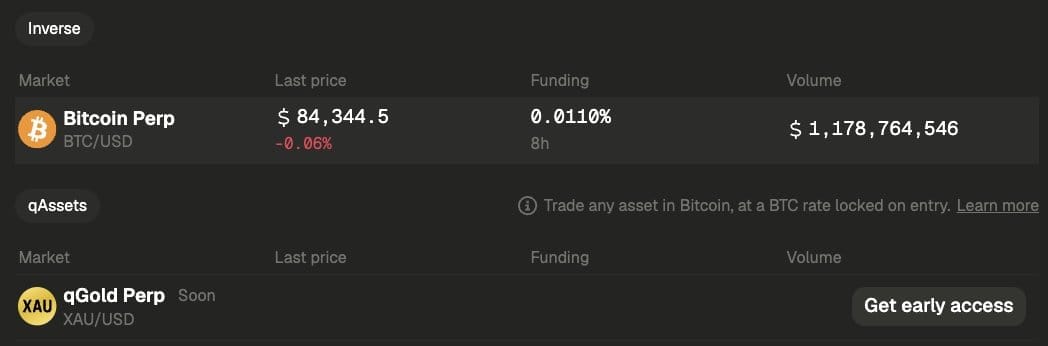
- Your whole account in one place: the trading account card, and a new Trading account page, show what’s available, what’s locked, your live P/L and your total equity across all markets. The Risk and Margin tabs show what you’re exposed to and what collateral is tied up.
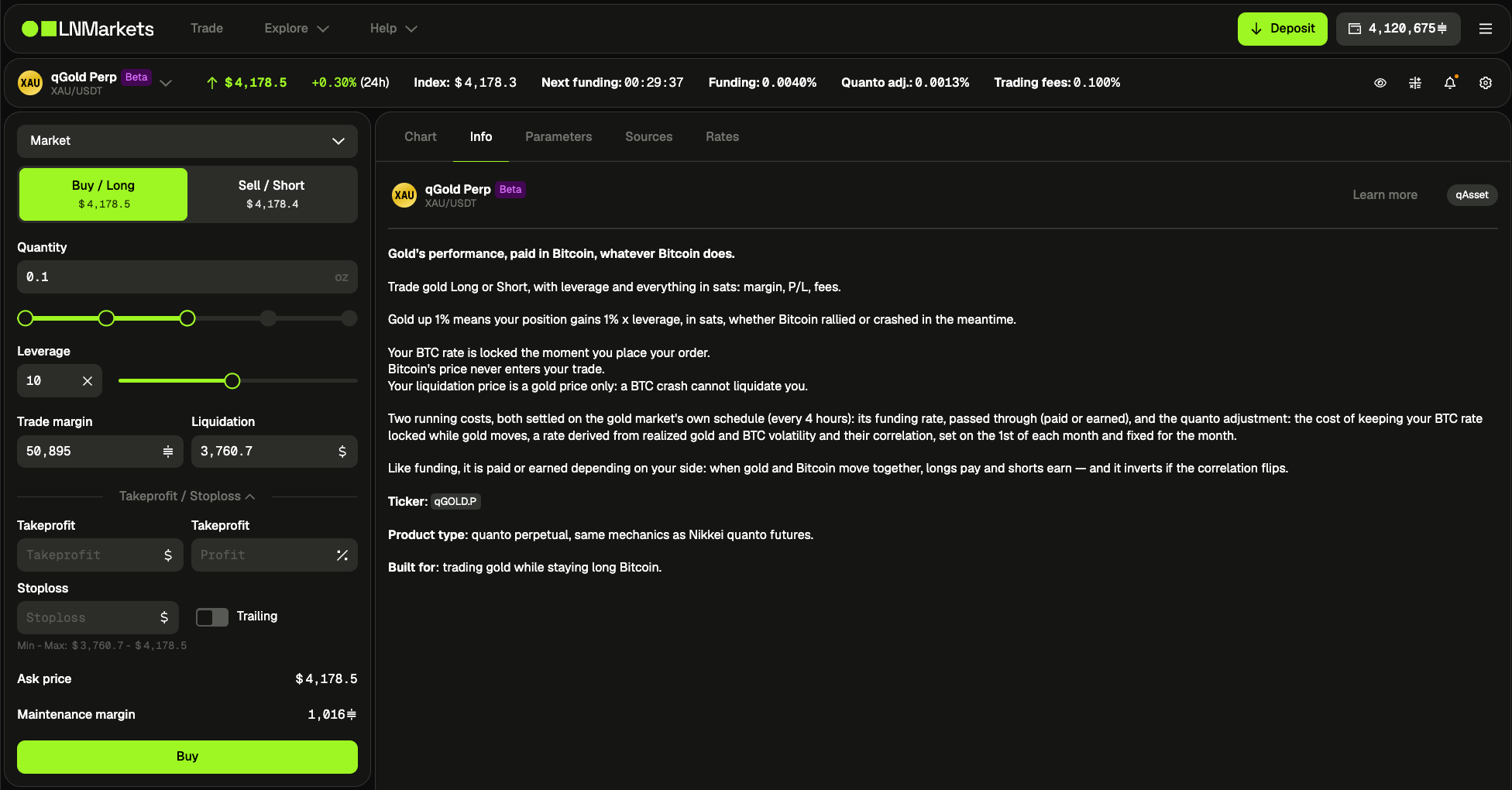
- Know the market you’re trading: next to the chart, new tabs explain how each market works: Info, Parameters, Sources and Rates. You’ll find live leverage limits, order limits, the funding interval, index sources with their weights, and the latest settlements.
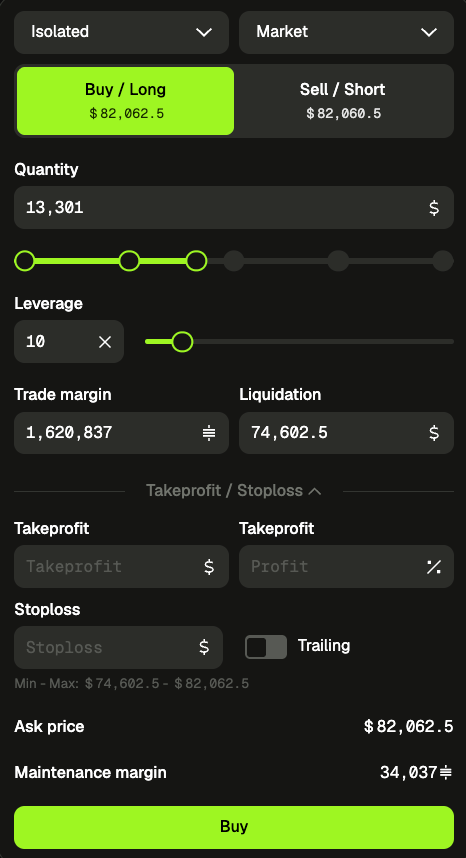
- Size from your balance: a slider under the isolated pricer sets your quantity in one tap: Min, 25%, 50%, 75% or Max at your current leverage. Max always fits your available balance.
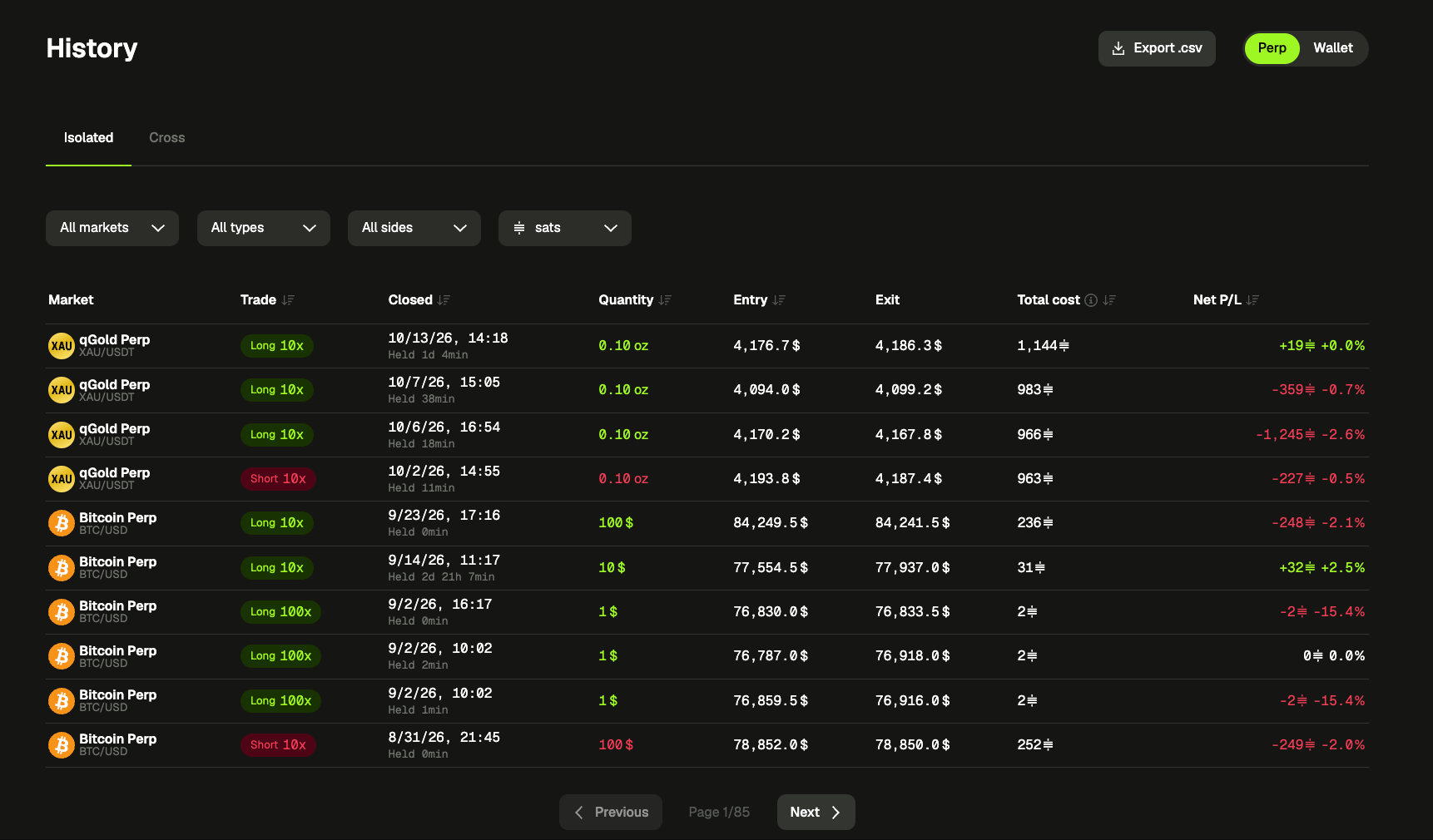
- History, reworked: isolated and cross tables are lighter, show quantities in the market’s own unit (oz for gold), and keep your filters and page when you navigate back. Every tab has a CSV export.
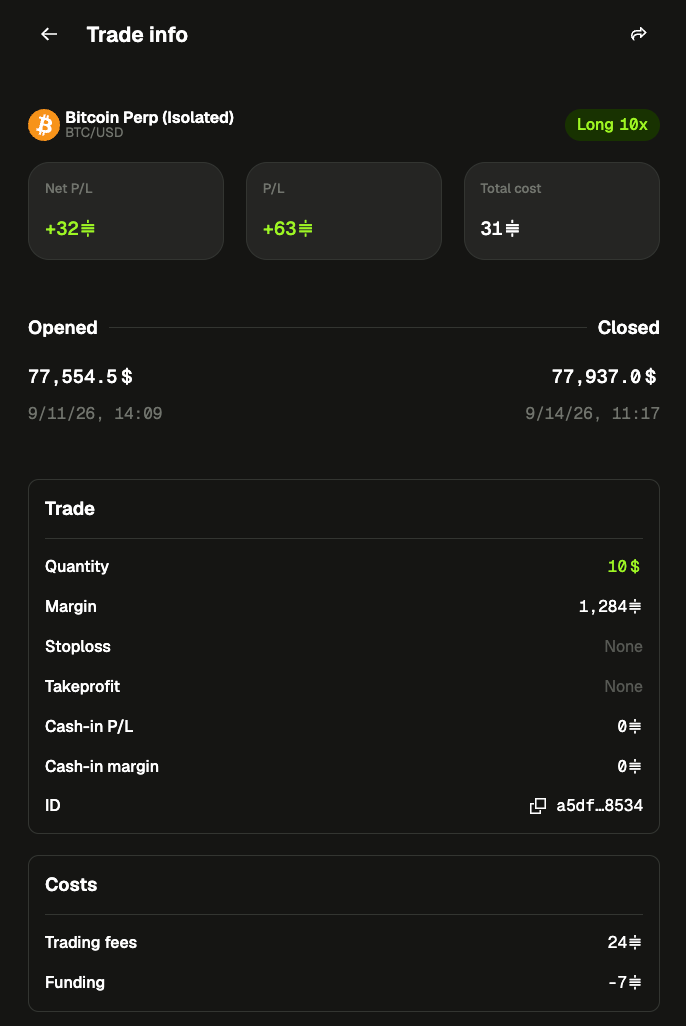
- Trade details: click a closed trade or a filled order to see the full story: key stats, a timeline from open to close, and costs broken down into trading fees, funding and quanto adjustments. You can share it from there.
🔧 Improvements
- Better share cards: P/L cards now include the market, entry price and leverage, and look the same on every device.
- Your language choice is now saved to your account, so emails and sign-in follow it.
- API key IP whitelists are easier to manage: each IP is its own tag, and invalid ones are flagged individually.
- Fewer forced reloads. The “New version available” prompt only appears when you really need to refresh, and other updates apply quietly to inactive tabs.
🐛 Fixes
- Switching markets keeps you on the same view (chart, isolated or cross), and the picker highlights the market you’re actually on.
- On mobile, Trade and Markets reopen your last market instead of going back to Bitcoin Perp.
- “Hide empty markets” now also hides empty isolated and cross lines, and the table header and totals stay visible.