

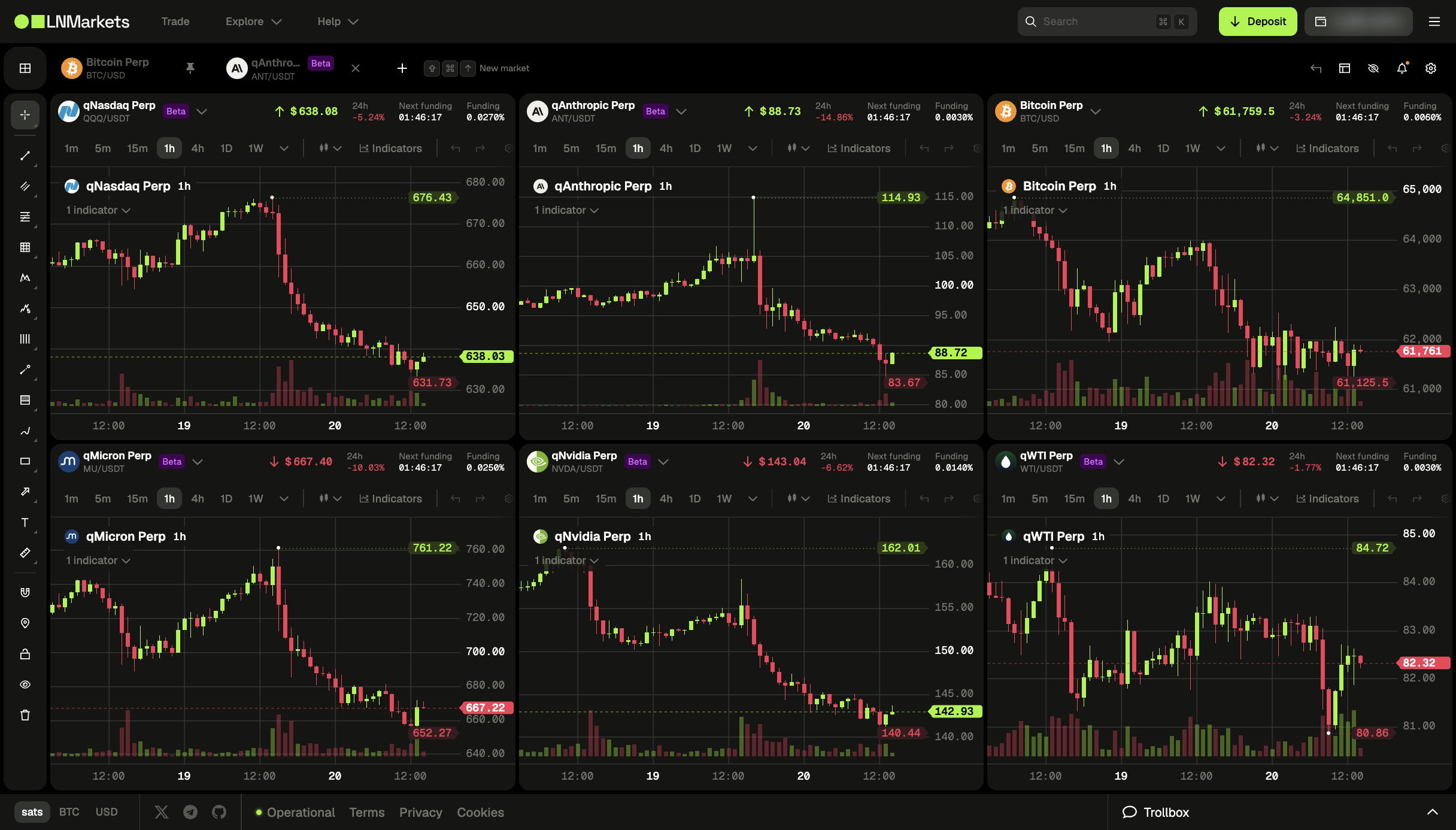
If you trade more than one market on LN Markets, you know the routine: open Bitcoin Perp, check it, switch to qNasdaq, then qGold, then back. One chart at a time means you only ever see one move at a time.
The new multi-charts page fixes that. It shows several live charts on one screen, so you can watch Bitcoin next to the Nasdaq, gold, oil and Nvidia and spot when they move together, or when they don't.
How it works
Open multi-charts from the new grid icon at the start of the market tab bar.

It opens with six live charts, each on a different market. Each chart has its own market picker, so you choose what goes where.
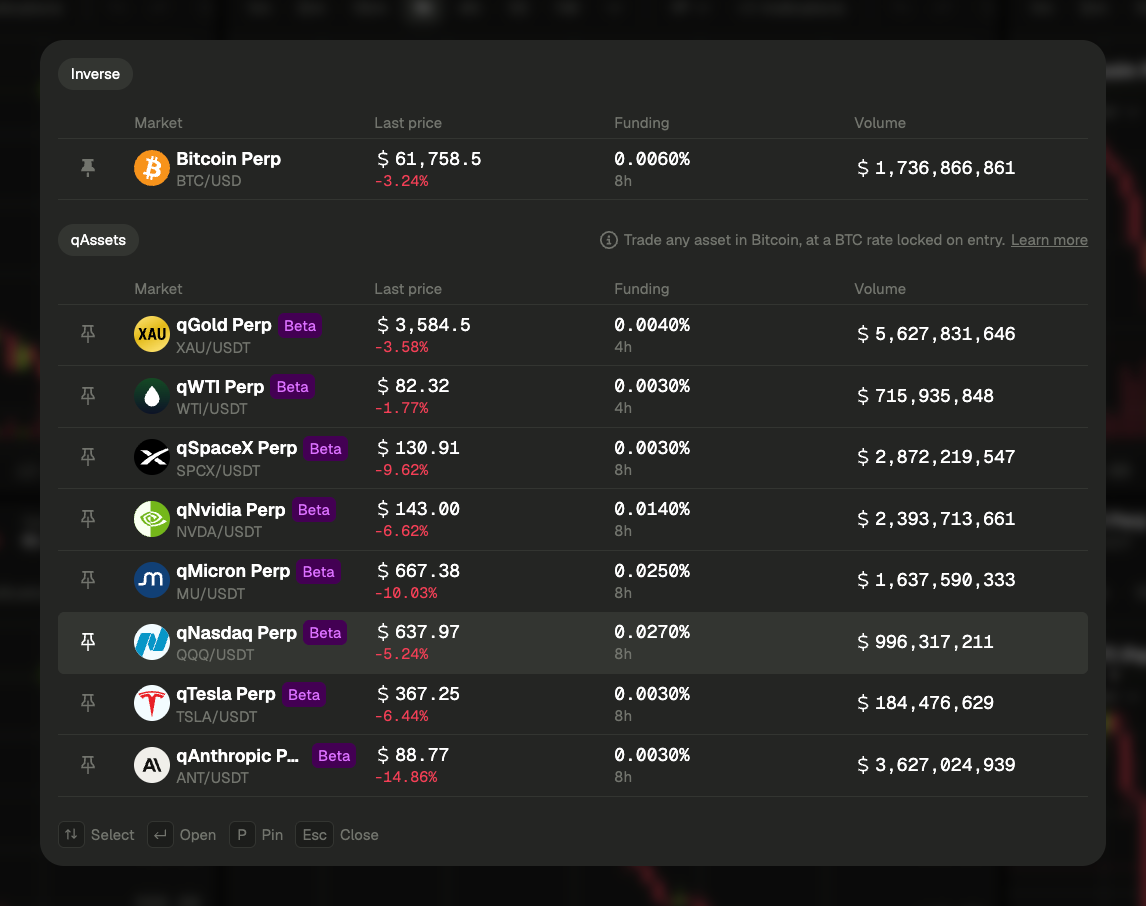
Its header shows the last price, 24h change, funding rate and the countdown to the next funding, and each chart keeps its own timeframe, from 1 minute to 1 week.

Arrange the layout your way
Click Edit layout and move charts around with drag and drop:
- Drop a chart on the edge of another to split the space between them.
- Drop it in the centre of another to swap the two.
- Drag the dividers to make a chart bigger or smaller.
- Add a chart (up to 16) or remove one.
Made a mistake? Undo takes back the last change, and Reset layout brings back the default grid. Click Save layout when you're done: your layout is stored on this device and is still there next time you open the page.
One drawing toolbar for all charts
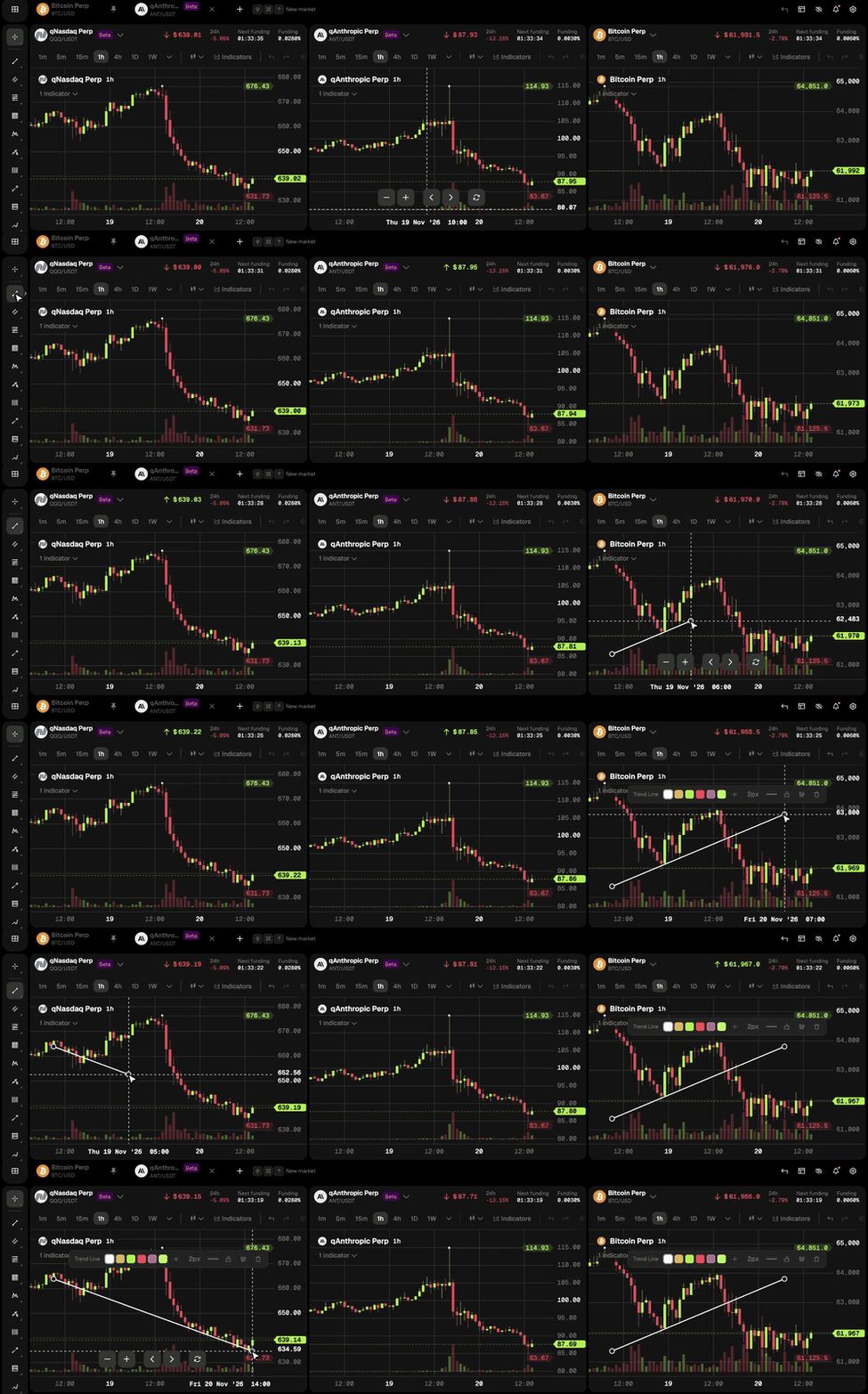
The drawing toolbar on the left works across every chart. Pick a tool once and draw on any chart without picking it again. The Undo button next to the layout menu (or Cmd/Ctrl+Z) takes back your latest drawing, whichever chart it is on.
Built for watching
Multi-charts is a page for following markets, not for placing orders. When you see a setup you like, open that market's tab to trade it as usual. The page is designed for desktop screens.
Live now
Open multi-charts from the grid icon in the market tab bar, or go straight to app.lnmarkets.com/en/perp/multi-charts, set up your layout once and keep every market in view.
Tell us what you'd like to see next!
Stay in the loop
New posts in your inbox, plus access to the discussion.
Subscribe